
Convert NTFS to FAT32
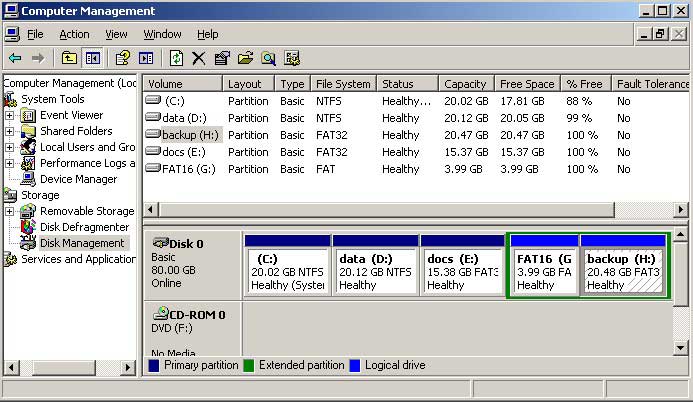
To better understand your computer disk partition layout, open disk management (right click "My Computer" > "Manage" > "Storage" > "Disk Management").
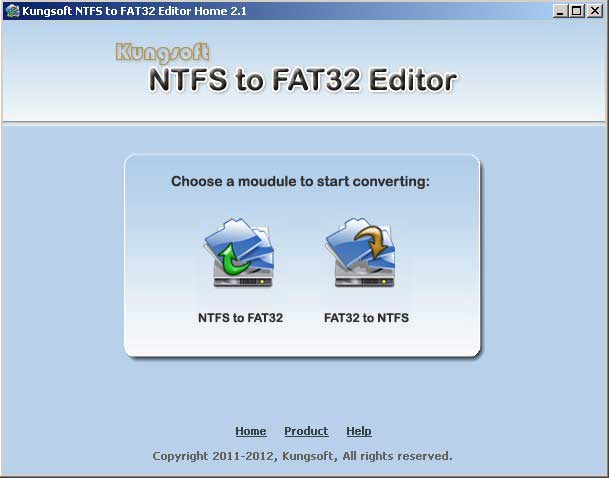
Step 1: Download "NTFS to FAT32 Editor", after launching it, you'll see the following sreenshot, select the first choice.
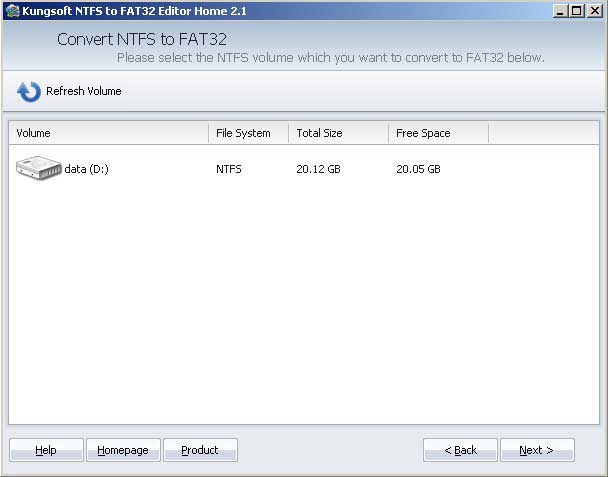
Step 2: Select the NTFS partition you want to convert in the partition list and click "Next". (System NTFS partition cannot be converted)
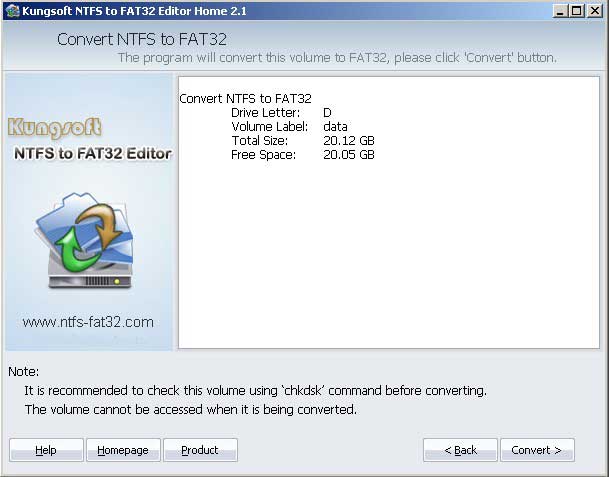
Step 3: Review the converting and click "Convert".
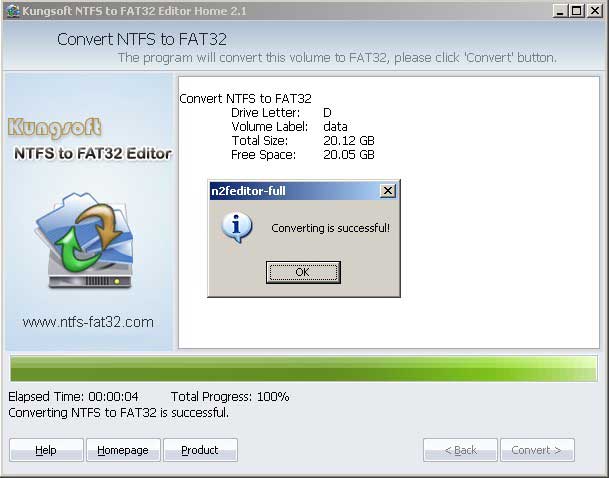
Very quickly, converting NTFS to FAT32 complete successfully.
Check again in disk management.
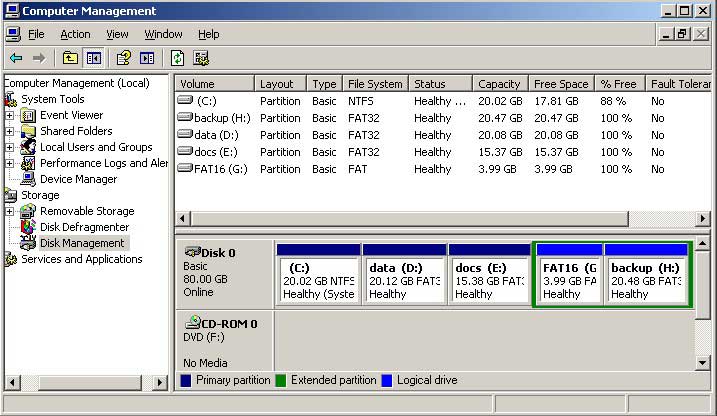
Original NTFS partition D: changed to FAT32 without losing data.
Convert FAT to NTFS
Similarly, open disk management to find out disk partition details before converting, there are 3 FAT32 partition plus 1 FAT16 volume.
Step 1: Launch "Kungsoft NTFS to FAT32 Editor" and select the second choice "FAT32 to NTFS".
Step 2: Select the FAT16/32 drive you want to convert in the partition list and click "Next".
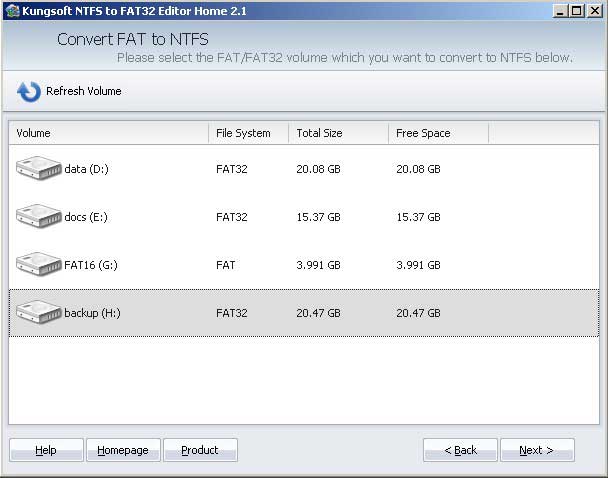
Step 3: Review the converting operation and click "Convert".
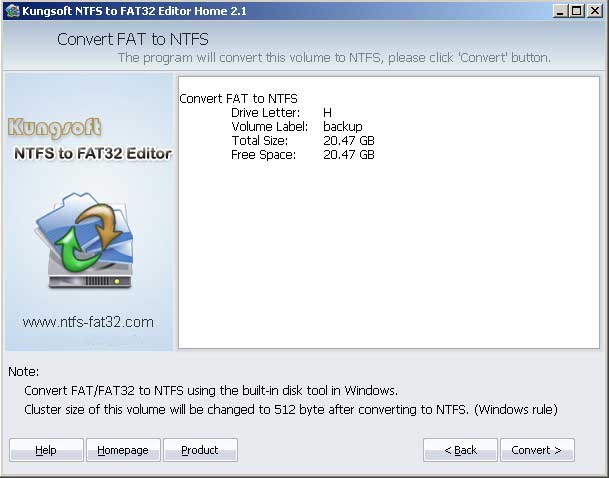
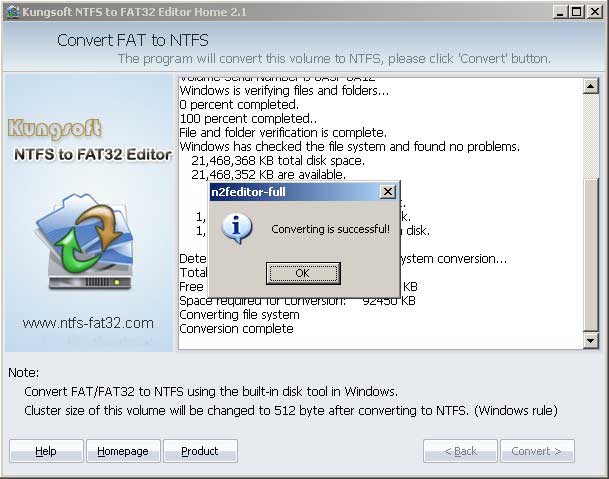
In a while, converting complete successfully.
Check again in disk management.
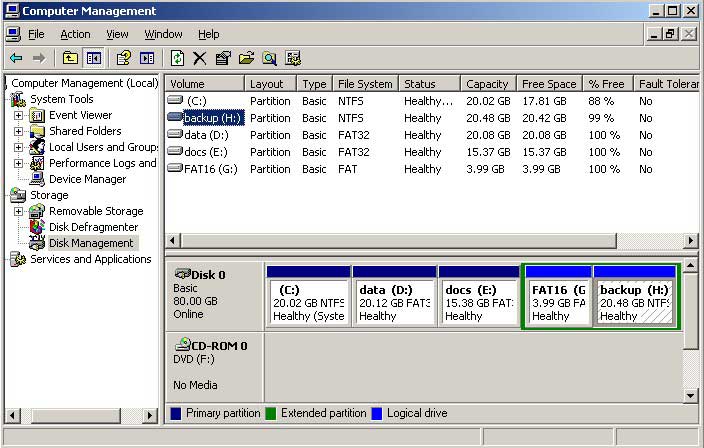
Redo the steps to convert other FAT partitions to NTFS.


Convert partition file system
As we know Windows file system - NTFS and FAT12/16/32 are different, and in most cases, we need to change a partition from NTFS to FAT32 or FAT to NTFS. For example, some storage media only support FAT32 file system partition, if you formatted this storage to NTFS, you cannot use it. While, some people need to convert NTFS partition to FAT32, because NTFS partition has many advantages, such as Compress, Encrypt and large file supprt.
Converting FAT12/16/32 to NTFS, you can achieve via Windows command prompt, but many people are not familar with such command line and they are still like to use a third-party utility. If you want to change NTFS partition to FAT32, you have to reformat this volume, because "convert" command line cannot revert NTFS to FAT32 nondestructively.
With "Kungsoft NTFS to FAT32 Editor", you can easily and fast convert NTFS to FAT32 and vice versa without losing data. "NTFS to FAT32 Editor" is a professional, fast utility for converting partition from NTFS to FAT32 or FAT32 to NTFS file system without reformatting or losing data. It is a reliable, efficient and easy to use Windows file system converter. (Compare editions)